2.0 File System Navigation
Topics
File System Hierarchy
Managing Files and Using the Command Line
Symlinks
[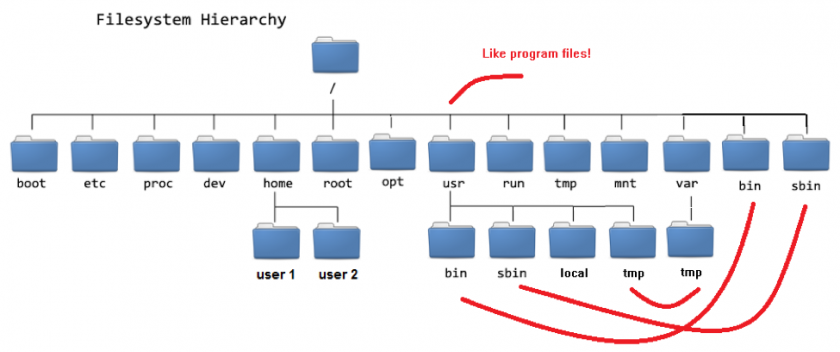 ]
]
Reading List
Chapter 3: Essential File Management Tools (pp. 53-77)
Commands
Command |
Action |
|---|---|
cd |
change directory |
cd .. |
go up one directory level |
cd / |
go to the root directory of the server |
cd ~ |
return to your home directory (when you are |
cp |
Copy command |
mv |
Move command (this is also used for renaming files or directories) |
rm |
Remove command |
ln |
Link files |
ln -s |
Soft Link |
touch |
Touching an existing file updates the datetime stamp. Touching a file that doesn’t exist will create an empty file |
mkdir |
Create a directory (this does not create parent directories) |
mkdir -p |
Creates the directory and all parent directories that do not exist yet |
scp |
Copy files from vm to vm remotely |